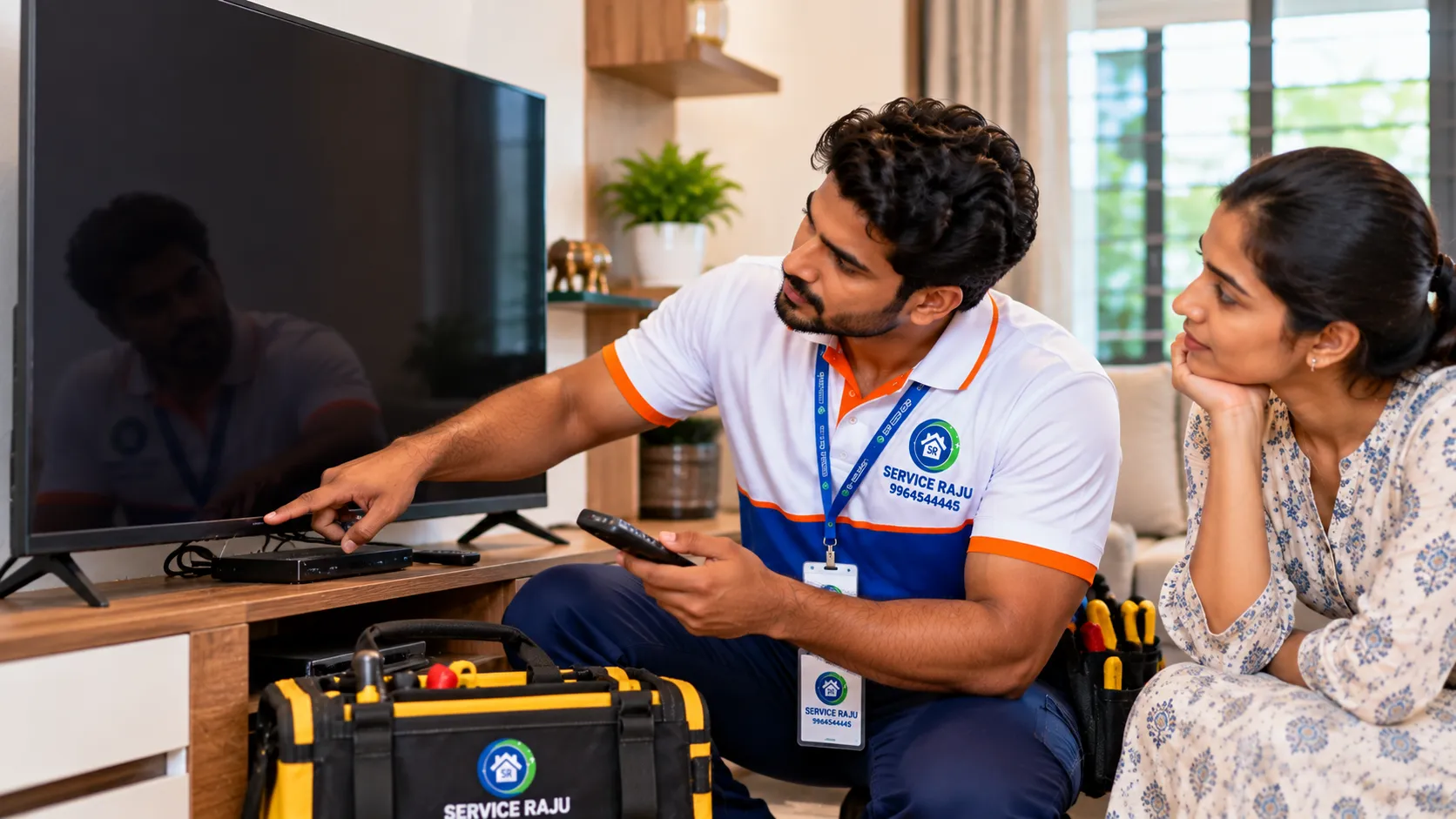
TV Has Sound but No Picture? Causes and Repair in Mysore
Is your television playing sound, but the screen remains completely black? Can you hear your favourite programme, movie or YouTube video while seeing no picture? This can be frustrating, especially when the TV was working normally before the problem started.
A TV with sound but no picture may have a simple input or connection problem, or it may require professional diagnosis of the display, backlight, power supply or another internal component.
If you are searching for TV repair near me or LED TV repair in Mysore, a few safe checks can help you rule out common external causes before arranging a technician visit.
This guide explains why a TV screen may go black while the sound continues working, what you can safely check at home, when professional repair is necessary and how to decide whether repairing or replacing the television makes more sense.
Quick Answer: Why Is Your TV Playing Sound but Showing No Picture?
When television audio works but the screen is blank, possible causes include:
- The wrong HDMI input or source is selected.
- A connected set-top box, streaming device or cable has a fault.
- The picture settings or software have temporarily malfunctioned.
- The LED backlight has failed in an LCD/LED television.
- The display panel or an internal display circuit is faulty.
- The power supply or main board is not operating correctly.
- A connection or other internal component has developed a fault.
These are possible causes, not a confirmed diagnosis. The correct repair depends on the TV brand, model, symptoms and results of professional testing.
7 Safe Checks to Try Before Booking TV Repair
Before assuming that the display panel has failed, try the following external checks. Do not open the television or access its internal components.
1. Check Whether the TV Is on the Correct Input
If you use a set-top box, gaming console, streaming device or external media player, the television may be displaying the wrong source.
For example, the TV may be set to HDMI 2 while your device is connected to HDMI 1.
What to do:
- Use the TV remote to open the input or source menu.
- Select the correct HDMI, TV or other connected input.
- Check whether the picture returns.
If the TV menu itself is visible, the issue may relate to the external device or selected source rather than a completely failed display.
2. Check the Set-Top Box and Connected Devices
Sometimes the television is working, but the connected device is not producing a picture correctly.
Check whether the set-top box or streaming device is powered on and responding normally.
If possible, test another known-working input or device using the manufacturer's normal connection procedure.
If the picture returns with another source, the original device, cable or connection may need further investigation.
3. Inspect the External HDMI Cable
A loose or damaged HDMI cable can interrupt the picture signal from a connected device.
Check that accessible external cables are fully inserted and do not show obvious damage.
Before reconnecting a cable, follow the instructions for the connected equipment. Avoid forcing connectors or reaching behind equipment if doing so could cause it to fall.
If you suspect cable damage, use a compatible, known-working cable if available.
4. Restart the Television Safely
A temporary software or operating issue can sometimes prevent a picture from appearing normally.
Use the television's normal power-off procedure and follow the manufacturer's instructions for restarting it.
If the manufacturer permits unplugging the TV, switch it off first and disconnect it only if the plug, socket and surrounding area are dry and safe to access. Wait for the period specified in the manufacturer's instructions before reconnecting it.
If the TV repeatedly loses its picture after restarting, arrange professional diagnosis rather than continuing repeated restart attempts.
5. Check Whether the TV Menu Is Visible
Press the menu or settings button on the remote control.
If the menu appears normally while a connected programme remains blank, the issue may be related to the external source or video signal.
If neither the programme nor the TV menu appears, an internal display-related fault becomes a possibility. This observation alone does not identify which component has failed.
6. Check for Brightness or Picture-Setting Changes
Picture settings can affect the appearance of the screen. Depending on the model, energy-saving settings, screen-off features or other settings may change how the picture appears.
Consult the user manual and check the relevant picture or energy-saving settings using the normal on-screen menu, if visible.
A completely black screen can have causes beyond ordinary brightness settings, so do not assume that changing the picture mode will resolve every fault.
7. Look for Warning Signs Without Opening the TV
Notice whether the TV shows other symptoms, such as:
- The screen flashes before becoming black.
- The picture appears briefly and disappears.
- The screen flickers repeatedly.
- The TV repeatedly restarts.
- Unusual clicking or buzzing sounds occur.
- The unit smells burnt or shows signs of overheating.
These observations can help a technician narrow down the possible cause.
If there is smoke, a burning smell, visible electrical damage or repeated power interruption, switch off the TV if safe, disconnect it only if safe to do so, and arrange professional assistance. Do not continue using a potentially unsafe appliance.
Possible Hardware Problems When Sound Works but the Screen Is Black
If safe external checks do not restore the picture, a hardware issue may be responsible. A technician will need to test the television before identifying the failed component.
1. Failed LED Backlight
Many LCD/LED televisions use a backlight to illuminate the image produced by the display system.
If the backlight or its driving circuit fails, the television may continue playing audio while the screen looks black or extremely dim.
The exact symptom depends on the TV design and the nature of the fault.
Recommended action: Have a technician assess the backlight system and related circuitry before deciding which part needs replacement.
2. Display Panel Fault
The display panel is one of the most important and potentially expensive components of a television.
Panel-related faults may cause a blank screen, lines, distorted images, large dark patches or other visual problems.
However, a black screen does not automatically mean that the panel is damaged. Other components can produce similar symptoms.
A proper diagnosis is particularly important before approving a costly panel replacement.
3. Power Supply Problem
The television's power supply provides the electrical power required by its internal systems.
A fault affecting the power supply or a related circuit may interfere with display operation even when some functions, such as audio, continue working.
Internal power supply diagnosis involves electrical hazards and should be left to a trained technician.
4. Main Board or Display Circuit Fault
The main board manages several television functions, which may include processing signals and coordinating the picture and audio systems.
A main-board or display-circuit issue may cause a blank picture, intermittent display, restart behaviour or other symptoms.
Since multiple faults can produce similar results, components should be tested rather than replaced based only on the symptom.
5. Internal Connection or Component Fault
Internal connectors, circuit components or display-related assemblies may develop faults over time or following physical damage, overheating or other issues.
Internal inspection should be performed by a qualified technician using suitable procedures for the specific TV model.
Do not remove the rear cover or attempt internal repairs yourself. Some components may retain dangerous electrical charge even after the television has been unplugged.
How to Tell Whether the Problem Is With the TV or an External Device
| What You Notice | Possible Explanation | Next Step |
|---|---|---|
| TV menu is visible, but a set-top box picture is missing | External device, HDMI connection or input issue | Check the selected source and external connections |
| Picture appears on another input | Original source or connected device may be responsible | Check the original device and compatible cable |
| Audio works but the entire display stays black | Possible backlight, display circuit, power or panel fault | Arrange professional diagnosis if safe checks fail |
| Picture appears briefly and then disappears | Possible backlight, power or other hardware issue | Stop repeated restart attempts and request inspection |
| Lines, patches or distorted images are visible | Possible display, connection or signal-processing fault | Arrange an appropriate diagnostic assessment |
| Burning smell or signs of overheating | Possible electrical or component fault | Stop using the TV and seek professional assistance |
TV Repair or Replacement: Which Option Makes More Sense?
A TV that has sound but no picture does not automatically need to be replaced. Some faults can be repaired economically, while others may approach the cost of a replacement television.
Consider the following factors before making a decision.
| Factor | Why It Matters |
|---|---|
| Age of the TV | An older television may have less remaining useful life. |
| Actual fault | A repairable circuit fault can have a different cost from major panel damage. |
| Spare-part availability | Some models have limited or expensive replacement components. |
| Warranty status | Manufacturer warranty or extended coverage may affect the best service route. |
| Total repair quotation | Compare the complete cost, including parts, labour and any applicable charges. |
| Replacement alternatives | Compare the repair quotation with the cost and benefits of a suitable new TV. |
A sensible approach is to obtain a diagnosis and quotation before committing to a major repair.
If the TV is under warranty, check the manufacturer's authorised service process before arranging third-party repairs. Unauthorised disassembly or repairs may affect warranty coverage.
How Much Does TV Screen Repair Cost in Mysore?
The cost of TV screen repair in Mysore depends on the component that has failed, the TV brand, model, screen size, part availability and labour required.
Possible repair categories include:
- External cable or connection troubleshooting
- Backlight-related repair
- Power-supply repair
- Main-board or display-circuit repair
- Display-panel replacement
These repairs can differ significantly in cost. A simple external connection issue should not be priced like a panel replacement, and a panel replacement should not be recommended without adequate evidence.
Before approving a repair, ask the technician to explain the suspected fault, the parts required, the labour charges, the total estimate and any applicable repair warranty.
Exact pricing should be confirmed after the model and fault have been assessed rather than relying on a generic online estimate.
Why You Should Not Open the Television Yourself
Televisions contain electrical components that can be dangerous to access without suitable training and equipment.
Opening the cabinet or attempting a component-level repair can expose you to electrical hazards, damage fragile display connections or make a repair more expensive.
Avoid:
- Removing the television's rear cover.
- Touching internal circuit boards or power-supply components.
- Attempting live electrical measurements.
- Disconnecting internal display cables.
- Applying heat to internal components.
- Replacing boards based only on online troubleshooting videos.
External troubleshooting is useful, but internal diagnosis should be left to a suitably trained professional.
TV Repair in Mysore: What to Tell the Technician
When booking a TV repair service in Mysuru, prepare the following information:
- TV brand and model number
- Approximate screen size
- Whether the sound continues normally
- Whether the screen is completely black or extremely dim
- Whether the TV menu appears
- Whether the picture appears briefly before disappearing
- Any unusual noises, smells or warning signs
- Whether the problem began after a power interruption, physical impact or other event
A short video showing the symptom can also help explain the issue. Do not deliberately repeat an unsafe power-up or create a fault just to record it.
Professional LED TV Repair Service by Service Raju
Service Raju provides home-service and appliance-repair assistance for customers in Mysuru.
If your television has sound but no picture, the appropriate first step is to establish whether the problem involves an external source, a display-related component or another internal fault.
Depending on the available service coverage and the television model, repair assistance may include:
- Initial TV symptom assessment
- External input and connection troubleshooting
- LED TV display fault diagnosis
- Assessment of possible backlight problems
- Inspection for suspected power or circuit faults
- Repair-versus-replacement guidance
- Quotation before proceeding with repair work
The final diagnosis and repair options depend on the appliance and inspection findings.
For other home-service enquiries, visit the Service Raju Mysuru service directory and confirm the availability of the relevant TV repair service before booking.
Frequently Asked Questions
Why does my TV have sound but no picture?
Possible reasons include an incorrect input, external device or cable problem, a backlight fault, a power-supply issue, a display circuit fault or panel damage. The TV should be checked systematically before a component is replaced.
Why is my LED TV screen black but the sound is working?
The external source, settings or internal display system may be responsible. A backlight problem is one possibility, but it cannot be confirmed from the symptom alone.
Can a TV backlight be repaired?
Depending on the model and the fault, the backlight system or a related component may be repairable. A technician must diagnose the issue and confirm part availability before recommending a repair.
Does a black screen mean that the TV panel is damaged?
No. A black screen can have several causes, including input problems, backlight faults, power-supply issues and other circuit faults. A panel replacement should not be recommended without suitable diagnosis.
Why can I see the TV menu but not the picture from my set-top box?
This can point towards the selected input, external device, HDMI cable or source signal. Check the correct input and inspect accessible external connections before arranging a repair.
How much does TV repair cost in Mysore?
The cost depends on the brand, model, screen size, failed component, part availability and labour. Obtain a diagnosis and itemised estimate before approving a major repair.
Is it worth repairing an old LED TV?
It depends on the repair quotation, television age, expected remaining life, warranty status and cost of a suitable replacement. Comparing the diagnosis and complete repair estimate helps make the decision clearer.
Should I unplug my TV when the screen goes black?
If the TV is operating normally apart from the picture issue, follow the manufacturer's normal restart instructions. If you notice smoke, a burning smell, visible damage or another electrical hazard, stop using it and disconnect power only if it is safe to do so.
Can I repair my TV at home?
You can perform safe external checks, such as checking the input source and accessible HDMI connections. Do not open the TV, access the internal power supply or attempt internal circuit repairs yourself.
When should I book TV repair near me?
Arrange professional diagnosis if the screen remains blank after safe external checks, the picture repeatedly disappears or there are signs of an internal fault. Seek assistance immediately if an electrical warning sign appears.
Book TV Repair in Mysore
If your TV sound works but the screen remains black, do not rush into replacing the television or purchasing expensive components without a diagnosis.
Start with safe input and connection checks. If the picture does not return, professional assessment can help determine whether the fault is repairable and whether the cost makes sense compared with replacement.
Looking for TV repair near you in Mysuru? Contact Service Raju to enquire about television repair availability and arrange the appropriate next step.
Call / WhatsApp: +91 9964544445
Service Raju – Trusted Home Services in Mysuru, Udupi, Mangaluru & Indore.
 AC Repair
.webp) Ant Control Service
Ant Control Service
 Basin & Sink Services
.webp) Bath & Shower Services
Bath & Shower Services
.webp) Bath Fittings & Mirrors
Bath Fittings & Mirrors
 Bathroom Cleaning Service
 Bathroom Renovation Services
 Bed Bug Control Services
 Bedroom Painting
 Book a Carpenter Consultation
 Book Electrical Consulting
.webp) Cabinet Painting & Wood Refinishing
Cabinet Painting & Wood Refinishing
 Chimney Cleaning
 Civil Masonry Work
 Clean-Up Services
.webp) Clothes Hanger Installation
Clothes Hanger Installation
 Cockroach Control Services
---mysore-mysore-standard-300x200.webp) Commercial Cleaning
Commercial Cleaning
 Commercial Pest Control AMC Service
 Cupboard & Drawer Services
 Decorative Wall Panels
 Deep Sanitisation Service
 Detan & Bleach
 Door, Grill & Cabinet Painting Service
.webp) Doorbell & security
Doorbell & security
 Drain Blockage Clearing
 Electrical Appliance Services
 Electrical Wiring Services
 Empty Home Deep Cleaning
.webp) Fabrication
Fabrication
 Facials
.webp) Fan Installation & Repair
Fan Installation & Repair
 Full Home Cleaning Service
 Full Home Renovation
 Furniture Repair Service
 Gas Stove & Hob Repair
.webp) General Pest Control Services
General Pest Control Services
 General Plumbing & Consultation
 Geyser Repair
 Glass Cleaning
 Head Massage
.webp) Honeybee & Wasp-Services
Honeybee & Wasp-Services
 Kitchen & Bathroom Painting Service
 Kitchen Cleaning
 Kitchen Fittings
.webp) Kitchen Renovation
Kitchen Renovation
.webp) Laptop/Desktop service
Laptop/Desktop service
 Leak Detection and Repair
 LED TV Repair
 Living and Dining Room Painting
 Makeup, Saree & Styling
 Manicure & Pedicure
 MCB,Meter & Fuse Services
 Microwave Repair
 Mosquito Pest Control Service
 Multi-Room Painting Service
 Painting Consultation
 Quick Mini Cleaning Services
 Refrigerator Repair
 RO Water Purifier
.webp) Rodent Control Services (Rat & Mice Treatment)
Rodent Control Services (Rat & Mice Treatment)
.webp) Rooms Cleaning
Rooms Cleaning
 Shelves & Decor
 Sofa, Carpet & Mattress Cleaning
 Solar Water Heater Service
 Sump & Tank Cleaning
 Switch & Socket Services
 Tap & Mixer Service
.webp) Termite-Control-Services
Termite-Control-Services
 Threading & Face Wax
.webp) Tile & Granite Installation & Polishing
Tile & Granite Installation & Polishing
 Toilet & Commode Services
.webp) UPS and Inverter Repair Services
UPS and Inverter Repair Services
.webp) Wall Painting Service
Wall Painting Service
 Washing Machine Repair
 Water Level Controllers
 Water Tank and Pump Repair
 Waterproofing
 Waterproofing Services
 Waxing
 Window & Curtain Services
 Wooden Door Services