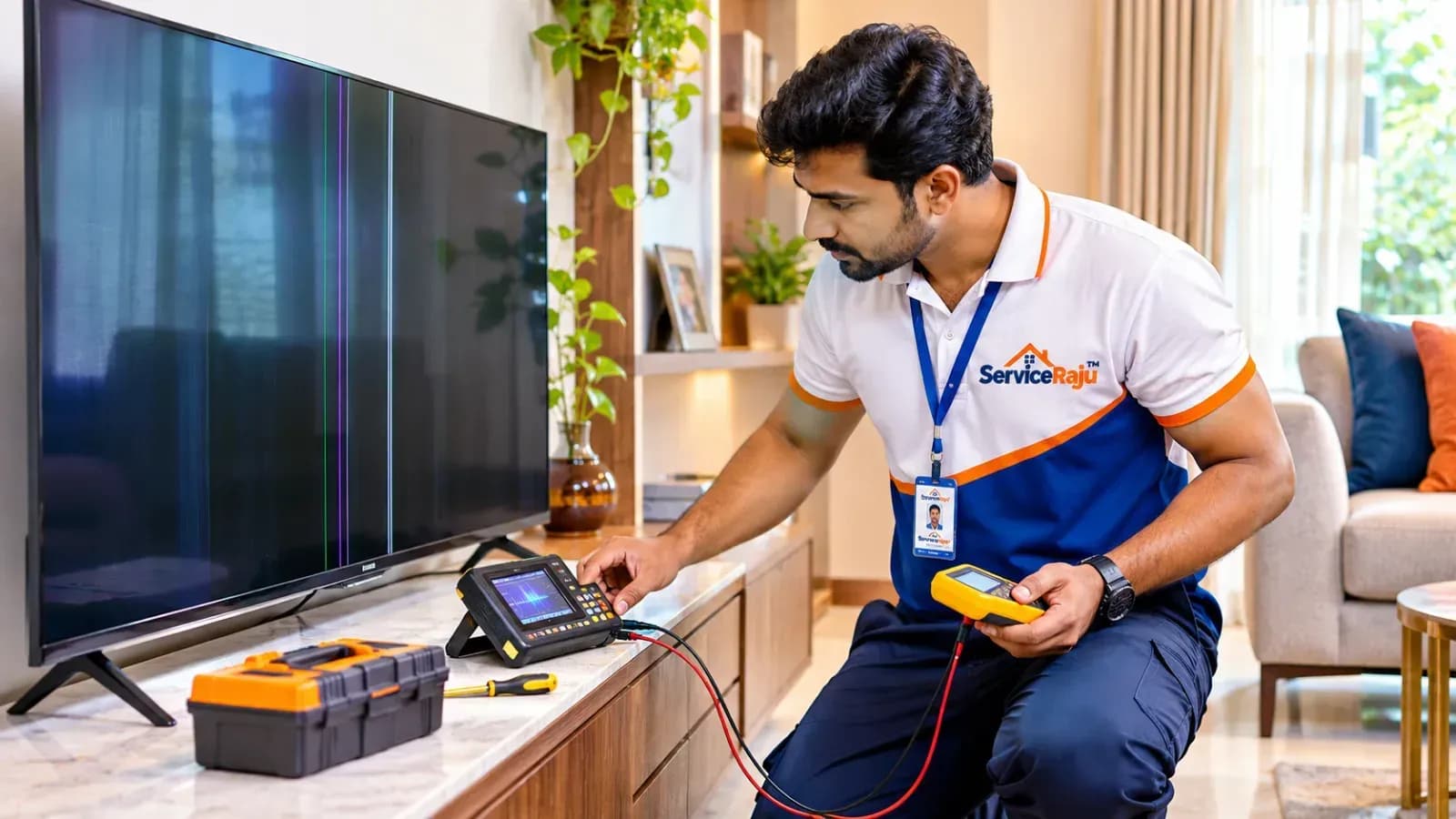
TV Not Working Properly? Complete LED and Smart TV Repair Guide in Mysuru
Is your television showing a black screen, distorted picture, no sound, vertical lines or refusing to switch on? A television problem can interrupt your entertainment, work-from-home setup and everyday family time. Before deciding to replace your TV, it is worth understanding the possible fault and getting a proper diagnosis.
If you are searching for TV repair services in Mysuru, choosing a technician who checks the actual fault before recommending replacement parts is important. Different symptoms can have different causes. A black screen, for example, may be related to an input connection, backlight, power supply or display circuit. The symptom alone does not confirm which component has failed.
Service Raju provides TV check-up and repair assistance in Mysuru for customers who need help with LED, LCD, OLED, QLED, Android and Smart TVs, subject to model and part availability. The listed TV Check-up package includes inspection, fault diagnosis and a repair estimate before work begins.
Book a TV Check-up: TV Repair Services – Service Raju
Call: +91 9620550955
Table of Contents
- Why professional TV diagnosis matters
- Common television problems and possible causes
- TV display and screen problems
- TV sound and speaker problems
- TV not switching on or restarting
- Smart TV, Wi-Fi and HDMI problems
- Safe checks before booking a technician
- What happens during a professional TV check-up?
- What affects TV repair cost in Mysuru?
- TV repair or replacement: How to decide
- TV brands and models supported
- How to book TV repair with Service Raju
- Frequently asked questions
1. Why Professional TV Diagnosis Matters
Modern televisions contain several connected systems, including the display panel, backlight, power supply, motherboard, audio components, ports and software. A fault in one area can sometimes produce symptoms that look similar to another problem.
For example:
- A television with no picture may have an input or display-related issue.
- A TV that restarts repeatedly may have a power, software or internal component fault.
- Distorted colours may be related to picture settings, the source device or display circuitry.
- No sound may be caused by audio settings, an external device or an internal audio fault.
- HDMI connection problems may originate from the cable, connected device, selected input or TV port.
Replacing a component without proper testing can increase repair costs unnecessarily. A systematic diagnosis helps identify the likely fault and allows the customer to review the repair estimate before approving the work.
2. Common Television Problems and Possible Causes
| TV problem | Possible causes | Recommended next step |
|---|---|---|
| TV not turning on | Power supply, cable, outlet, remote or internal fault | Check safe external power connections and arrange diagnosis if unresolved. |
| Black screen | Input source, backlight, power or display-related fault | Check the selected input and source device before booking. |
| Vertical or horizontal lines | Source signal, cable, display connection or panel-related fault | Compare different sources and arrange inspection if lines remain. |
| No sound | Volume settings, mute, audio output, external device or internal audio fault | Check audio settings and connected devices. |
| TV restarting repeatedly | Power instability, software issue or internal component fault | Follow the manufacturer's safe restart guidance and seek diagnosis if persistent. |
| HDMI not working | Incorrect input, cable, connected device or HDMI port | Check the input and cable connections. |
| Wi-Fi or app problems | Router connection, network settings, software or application issue | Check the internet connection and TV software guidance. |
| Remote not responding | Battery, pairing, sensor or remote fault | Check batteries and the manufacturer's remote troubleshooting instructions. |
These are possible causes, not confirmed diagnoses. The exact fault depends on the TV model and inspection findings.
3. TV Display and Screen Problems
Display-related complaints are among the common reasons customers look for an LED TV repair service in Mysore. The screen may be completely black, show lines, flicker, display unusual colours or become very dim.
Black screen or no display
If the TV has sound but no visible picture, possible causes include an incorrect input, external source problem, backlight issue, power-supply fault or another display-related problem.
Check whether the TV menu appears and whether the connected set-top box or streaming device is switched on. If the menu appears but the external source does not, investigate the selected input and connected device before assuming the TV itself is faulty.
For a more focused guide, read: TV Has Sound but No Picture? Causes and Repair in Mysore.
Vertical or horizontal lines
Lines across the display may be related to the source signal, cable, display connections or internal screen components. If the lines remain visible across the TV menu and different sources, professional diagnosis may be necessary.
Flickering or dim screen
Screen flickering or uneven brightness may be caused by picture settings, source-device problems, backlight performance or internal electronics. Note whether the problem occurs on every channel, application and input.
Cracked or physically damaged screen
Physical panel damage is different from an ordinary picture fault. A cracked display may require panel replacement, and the cost can be substantial. Ask for a clear assessment and replacement estimate before deciding whether repair is economical.
4. TV Sound and Speaker Problems
Sound-related problems can affect the built-in speakers, audio settings or connected devices.
Common audio symptoms
- No sound even though the picture is working.
- Distorted or crackling audio.
- Sound that cuts in and out.
- Very low volume despite increasing the setting.
- Audio delay between picture and sound.
- Sound working through an external speaker but not through the TV speakers.
What can you check?
- Confirm that the TV is not muted.
- Check the volume level.
- Review the selected audio output setting.
- Disconnect external audio devices only if it is safe and appropriate.
- Try a different channel or application.
- Check whether the problem occurs across multiple sources.
If the problem continues after these checks, a technician can inspect the relevant audio components and connections.
5. TV Not Switching On or Restarting
A television that does not power on, switches off unexpectedly or repeatedly restarts may have a power-related, software or internal hardware problem.
Possible symptoms
- No power indicator light.
- Power indicator blinking repeatedly.
- TV switching off shortly after starting.
- Repeated restart or boot loop.
- TV becoming unresponsive to the remote.
Check the manufacturer's recommended external power and restart procedure. If there is a burning smell, smoke, visible damage, unusual heat or sparking, stop using the TV. Disconnect power only if it is safe to do so and arrange qualified assistance.
Do not open the rear cover or attempt to test internal power-supply components yourself.
6. Smart TV, Wi-Fi and HDMI Problems
Smart TVs depend on software, internet connectivity and external device connections. Not every Smart TV problem requires an internal hardware repair.
Wi-Fi and internet connection problems
- Confirm that your home internet is working on another device.
- Check whether the TV is connected to the correct Wi-Fi network.
- Restart the router according to its manufacturer's instructions if appropriate.
- Review the TV's network settings.
- Check for software updates using the manufacturer's guidance.
HDMI and external device problems
- Confirm that the correct HDMI input is selected.
- Check that the set-top box, laptop or streaming device is switched on.
- Inspect accessible cable connections for looseness or damage.
- If available, test another compatible HDMI cable or port.
- Check the external device separately if possible.
For manufacturer-specific troubleshooting, refer to the official LG India television support guide or Sony India BRAVIA troubleshooting guide. Follow instructions for your exact TV model.
7. Safe Checks Before Booking a TV Technician
Before arranging a repair, you can perform a few simple external checks. These may help identify an input, remote or connected-device issue without opening the television.
- Check the power supply: Confirm that the TV is connected to a working power outlet and that the accessible cable is properly connected.
- Check the remote: Replace weak batteries if necessary and confirm that the remote is operating correctly.
- Check the input: Select the correct HDMI, AV or other source connected to your device.
- Check the external device: Confirm that the set-top box, streaming device or laptop is switched on.
- Check accessible cables: Look for loose or visibly damaged external connections.
- Try a manufacturer-approved restart: Follow the instructions for your specific model.
- Observe the symptom: Note whether the TV has sound, whether the menu appears and whether the issue affects every input.
Stop troubleshooting if you notice smoke, sparks, a burning smell, liquid ingress or other electrical warning signs. Never remove the TV's back cover or touch internal circuit boards and power components.
8. What Happens During a Professional TV Check-up?
Service Raju's listed TV Check-up package describes a structured inspection and diagnosis process. The technician checks relevant TV components and shares a repair estimate before proceeding.
Step 1: Understand the complaint
The technician records the TV brand, model, screen size and the symptoms reported by the customer.
Step 2: Inspect the television
The listed inspection covers the display panel, motherboard, power supply, backlight, speakers, HDMI ports, remote functionality and overall TV performance.
Step 3: Diagnose the fault
Testing is used to identify the likely issue, such as no display, sound problems, power failure, screen lines or connectivity problems.
Step 4: Share the repair estimate
A transparent estimate is shared with the customer. The customer can review the suspected fault, parts and charges.
Step 5: Obtain customer approval
Repairs begin only after the customer approves the estimate.
Step 6: Test the TV after repair
After the approved repair, the television is tested for picture, sound and functionality. The listed package includes a 30-day workmanship warranty, subject to the applicable service terms.
Diagnostic equipment listed by Service Raju
- Digital multimeter
- LED TV tester
- Power supply tester
- Signal testing kit
Equipment used for a particular job depends on the model and fault being investigated.
9. What Affects TV Repair Cost in Mysuru?
The cost of television repair depends on the fault, model, screen size, parts required and labour. A simple external connection issue should not be compared with a major display-panel replacement.
Service Raju TV Check-up price
The TV Repair service page currently displays the following check-up price:
- Displayed TV Check-up price: ₹300
- Original price shown: ₹400
- Displayed discount: 25%
- Estimated duration: 30–45 minutes
- Workmanship warranty listed: 30 days
This is the listed check-up package, not the total price for every repair. Spare parts and specified replacements are charged separately.
What may affect the final repair quotation?
- TV brand and model.
- Screen size and display technology.
- Actual faulty component.
- Availability and cost of replacement parts.
- Repair complexity and labour.
- Whether the repair requires a component replacement.
Components listed as separately chargeable
The service page excludes the following replacement costs from the TV Check-up package:
- Display panel replacement.
- Motherboard replacement.
- Backlight strip replacement.
- Remote replacement.
- Other required spare parts.
Always confirm the current price, part availability and applicable warranty terms before approving the repair.
10. TV Repair or Replacement: How to Decide
When a television develops a major fault, customers often wonder whether repairing the existing TV is worthwhile or whether buying a replacement is more practical.
| Factor | What to consider |
|---|---|
| TV age | Consider how long the television has been in use and its expected remaining life. |
| Actual fault | A repairable component issue may be more economical than major panel damage. |
| Repair quotation | Compare the complete estimate, including parts and labour. |
| Spare-part availability | Some older models may have limited or expensive replacement components. |
| Manufacturer warranty | Check whether the TV is still covered by the manufacturer's warranty. |
| Replacement cost | Compare the repair estimate with a suitable replacement television. |
There is no universal repair-versus-replacement rule. Ask for the diagnosis and complete quotation first. If your television is still under manufacturer warranty, check the authorised service process before arranging third-party repairs.
11. TV Brands and Models Supported
Service Raju's TV Repair page lists repair compatibility for major television brands, including:
- Samsung
- LG
- Sony
- Mi
- OnePlus
- TCL
- Panasonic
- Vu
- Haier
- Hisense
- Realme
- Kodak
The page also lists support for LED, LCD, OLED, QLED, Android and Smart TVs. Actual repair availability depends on the specific model, fault, technician capability and spare-part availability.
Brand names and logos belong to their respective owners. Their mention indicates listed compatibility, not an authorised manufacturer partnership.
12. How to Book TV Repair with Service Raju in Mysuru
If your TV is not working properly, you can enquire about a TV Check-up through Service Raju's listed TV repair service.
Keep these details ready
- TV brand and model number.
- Approximate screen size.
- Type of television: LED, LCD, OLED, QLED or Smart TV.
- Problem description: no display, no sound, power failure, lines, flickering or HDMI issue.
- Whether the TV is under manufacturer warranty.
- Your Mysuru locality and preferred appointment time.
Booking steps
- Open the Service Raju TV Repair Services page.
- Select the listed TV Check-up service.
- Provide the television and fault details requested.
- Confirm the displayed check-up charge and appointment details.
- Allow the technician to inspect and diagnose the TV.
- Review the repair estimate and approve the work only if you wish to proceed.
- Check the television's operation after the approved repair.
Book Your TV Check-up in Mysuru
Do not replace your television or approve expensive components without understanding the actual fault. Arrange a check-up, review the diagnosis and decide based on the repair estimate.
TV Repair Service: Book TV Check-up with Service Raju
Call: +91 9620550955
Explore more home services: Service Raju Services in Mysuru
13. Frequently Asked Questions About TV Repair in Mysuru
1. Does Service Raju provide LED TV repair in Mysuru?
Service Raju lists TV Check-up and repair assistance for LED and other television types. Repair availability depends on the model, fault and required parts.
2. How much does a TV check-up cost with Service Raju?
The supplied TV Repair page currently displays ₹300 for the TV Check-up package, with ₹400 shown as the original price. Confirm the current displayed price before booking.
3. How long does a TV check-up take?
The listed estimated duration for the TV Check-up package is 30–45 minutes. The time required for an actual repair may be different depending on the fault and parts.
4. Does the TV check-up include motherboard and backlight inspection?
Yes. The listed inspection scope includes motherboard diagnosis and backlight testing, along with display panel, power supply, speakers, HDMI ports and remote functionality checks.
5. Are spare parts included in the TV check-up price?
No. The page lists display panel, motherboard, backlight strip and remote replacements, along with spare parts, as separately chargeable items.
6. Does Service Raju provide a repair warranty?
The listed TV Check-up package states a 30-day workmanship warranty. Confirm the applicable terms and coverage before approving repair work.
7. Can Service Raju repair Smart TVs?
The service page lists LED, LCD, OLED, QLED, Android and Smart TV repair assistance. The actual repair depends on the model and fault.
8. Can a black TV screen be repaired?
Some black-screen problems may be repairable, but the cause must first be identified. Possible causes include an external input issue, backlight fault, power problem or display-related component failure.
9. Should I replace my TV if it has vertical lines?
Not immediately. Lines may have several causes, including source signal, cable, display connection or panel problems. Get a diagnosis and quotation before deciding whether to repair or replace the TV.
10. Does Service Raju repair all TV brands?
The service page lists Samsung, LG, Sony, Mi, OnePlus, TCL, Panasonic, Vu, Haier, Hisense, Realme and Kodak among its supported brands. Confirm model-specific repair and spare-part availability before booking.
11. Does TV repair include wall mounting or installation?
Wall mounting and TV installation are listed as excluded from the TV Check-up package. Confirm separately whether these services are available.
12. How can I book a TV technician in Mysuru?
Visit Service Raju TV Repair Services, select the TV Check-up package and confirm the booking details. You can also call +91 9620550955.
Conclusion – Book a Professional TV Check-up in Mysuru
From black screens and display lines to sound problems, power failures and Smart TV connectivity issues, television faults can have several possible causes. A proper diagnosis helps identify the issue before you spend money on replacement components or a new television.
Service Raju's listed TV Check-up package includes inspection of important television components, fault diagnosis, a repair estimate before work begins and a stated 30-day workmanship warranty.
If your television is not working properly, arrange a TV check-up and review the estimate before approving the repair.
Service Raju – Your Home Service Partner!
Book Now: TV Repair Services in Mysuru
Call: +91 9620550955